Creative Elements 2.14: A Giant Leap for Accessibility & Performance

In the rapidly evolving landscape of e-commerce, two factors are currently dominating the conversation: Inclusivity and Speed. With the European Accessibility Act (EAA) on the horizon and Google’s Core Web Vitals becoming stricter, your shop needs to be more than just visually stunning—it needs to be usable by everyone and load faster than ever before.

With the release of Creative Elements v2.14, we are bringing you a massive update that tackles these challenges head-on. This isn't just a maintenance patch; we have rewritten core parts of the module’s architecture to optimize accessibility (a11y) and significantly reduce code bloat for superior performance.

Here is a deep dive into what makes v2.14 a game-changer for your PrestaShop store.

The Accessibility Overhaul

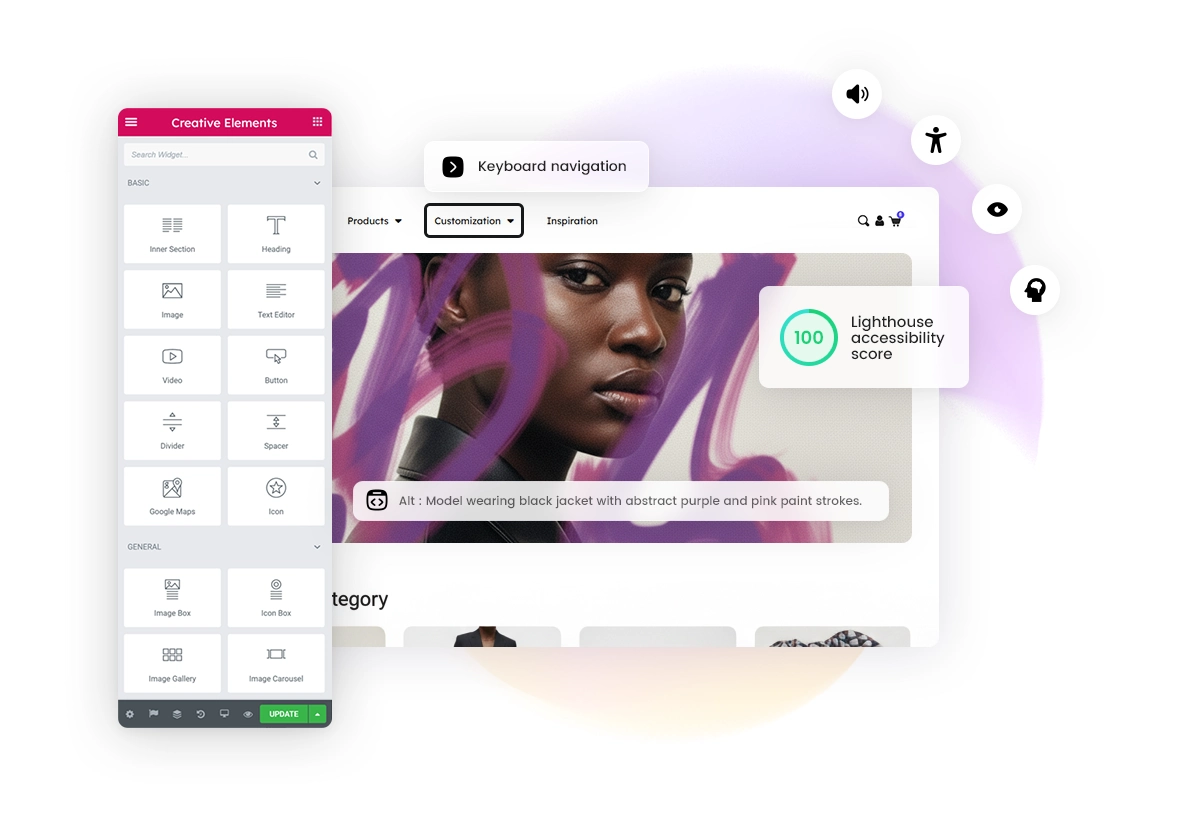
Accessibility is no longer a "nice-to-have" feature; it is a necessity. Making your shop accessible means ensuring that people with disabilities—whether they use screen readers, keyboard navigation, or have visual impairments—can browse, understand, and buy from you.

In v2.14, we performed a deep audit of our elements and components. We improved keyboard navigation (tabbing through the site) and optimized ARIA roles across the board.

Here is what’s new regarding inclusivity:

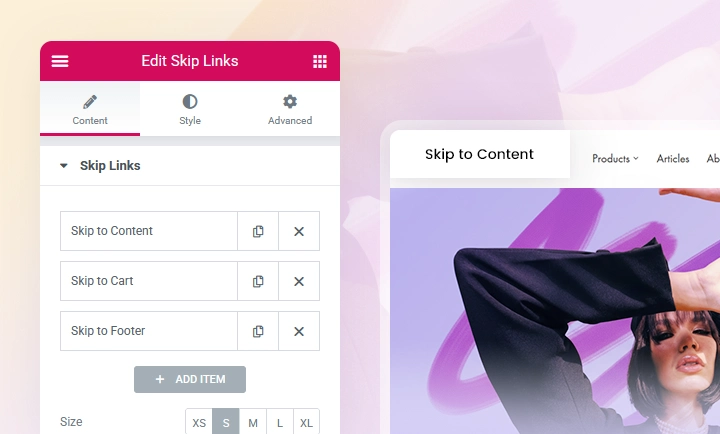
New Widget: Skip Links

Building Accessibly: A Shared Responsibility

While Creative Elements v2.14 provides the technical foundation for an accessible website, the final result depends on how you build your content. Accessibility is a partnership between the tool and the creator.

As you design your next landing page or product layout, keep these best practices in mind:

Pro Tip: Do you need a headline to look massive but it’s logically only a sub-section?

Don't break your structure. Instead, use the Display controls (S, M, L, XL, XXL). You can define these sizes globally in the Theme Style, allowing you to separate the look of the text from its HTML tag.

Performance: Leaner, Smarter, Faster

Speed is money. A faster site improves user experience, boosts SEO rankings, and increases conversion rates. In this update, we focused on smart resource loading and reducing the "weight" of the page.

Modular CSS & Conditional Loading

The biggest change under the hood is how we handle styles. In the past, much of the styling was bundled into a single large file. In v2.14, we have split the frontend.css into modular chunks.

Now, the system uses Conditional Loading: the specific CSS for a widget is only loaded if that widget is actually present on the page. For example, if you don't use an Accordion or a Slider on a specific page, your user's browser won't waste time downloading the code for it. This significantly reduces the total page size.

Bfcache (Back/Forward Cache)

We have activated Bfcache support on listing pages. This modern browser feature allows pages to be stored in a special cache memory. When a user clicks a product and then decides to hit the "Back" button to return to the category list, the page loads instantly—no reloading, no waiting. This makes the browsing experience feel native and incredibly snappy.

DOM Reduction (Cleaner Code)

We also took the opportunity to tidy up the HTML output. By removing unnecessary wrapper tags from several widgets (such as .elementor-image or .elementor-text-editor), we’ve made the code cleaner. While this is a minor optimization compared to our CSS improvements, a lighter DOM structure contributes to slightly faster rendering—and every little bit helps.

New Design Features & SEO Tools

Of course, it wouldn't be a Creative Elements update without new creative tools to help you build better shops.

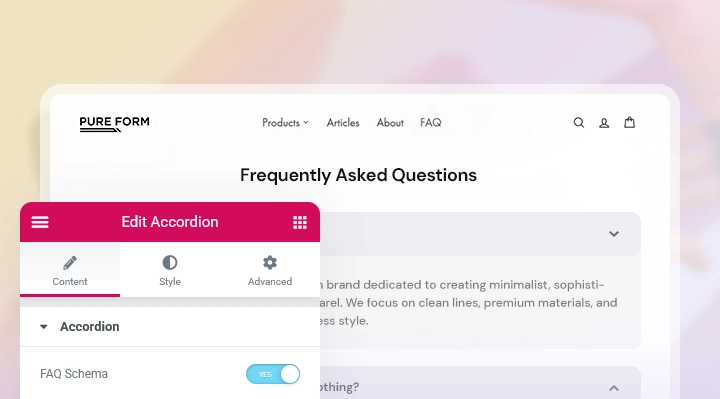
FAQ Schema Support

How to Update?

Creative Elements v2.14 is available now. You can update directly via your module manager to take advantage of these new features immediately. The update process handles everything automatically, so you can get back to building straight away.

Build for everyone. Load instantly. Convert more.

Explore More Updates